
Maintenance Software for Education
A maintenance software and general services allows facility managers to track all user requests, technical equipment maintenance, and regulatory obligations that engage the responsibility of a facility manager.Book a Demo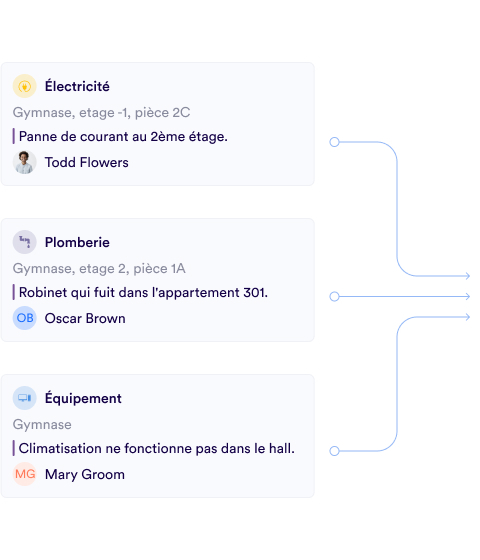
As soon as a school group or institution exceeds 200 students or has specific infrastructure (cafeteria, dormitory, workshop), it becomes necessary to structure all maintenance and service tasks. In the private sector, CMMS software is used to centralize maintenance actions. More broadly, an educational institution must handle maintenance as well as logistics, food service, sports equipment maintenance and monitoring of service providers, inspection bodies, not to mention interactions with the supervising authority for major works, staff housing, or safety commissions.
In this context, a collaborative application for maintenance and services allows centralization of requests between users (teachers, school life, administration), agents and service providers who handle requests, and team supervisors, typically managers, stewards, and technical managers.

The Most Common General Services Problems in Educational Institutions

Service requesters don't know who to contact
Knowing who to contact can sometimes feel like an obstacle course, going from office to office until finding the right person. People who want to request a service like maintenance quickly give up because they don't know who to contact. Maintenance teams are solicited at any time, and it becomes impossible to prioritize work.

Lack of visibility on service providers' work and gap between contract and what is delivered
A contract between a company and an institution provides for a certain number of visits per year depending on the maintenance or inspections to be carried out for asset management. For example, a heating technician will need to perform one intervention per month. A security company will come twice a year to check fire prevention systems.
The contract provides the theory, but practice is sometimes different with less frequent visits or even oversights and interventions that aren't done or documents that get lost. This can pose serious maintenance or liability problems in case of fire or building issues.

You have turnover and lack of information in employees' absence
Recruitment is difficult in the maintenance and services sector given work opportunities and salaries. In 2024, the facilities maintenance sector ranks 5th among jobs that struggle most to recruit. Not to mention kitchens and food service, which are also a headache for facility managers.
In this context of constant change among agents and technicians, it becomes critical to establish a framework for workload management, interaction modes, and automation of reporting and notifications.

Multiple PDF, paper, email, SMS interfaces without consolidated view or reminders
A facility manager must juggle many tasks to follow:
- Teachers' requests that come verbally, by email, phone, or SMS
- Planned interventions with service providers that come by email, from portals, or even unexpectedly when the provider shows up
- Reserve lists that are compiled in PDF reports or calendar printouts and are difficult to use
The accumulation of all these unstructured tasks becomes very difficult to follow. Visibility is not consolidated. It's impossible to search by keywords. Generally, there are no reminders except those created one by one in your calendar.

High travel times within the facility
When a site is extensive in surface area, floors, or number of buildings, travel can take up a significant part of a technician's or team leader's day. Time lost going back and forth to their office to consult a document or to be reachable by colleagues is significant.
A mobile application available on smartphone (or tablet) helps counter this time loss. Useful information for handling an intervention is centralized and easily available on the phone. A technician can directly have the contact of the person making a request, details with photos, comments, and even interact with the requester if clarification is needed.

Lack of feedback
Did my company come to do the work? Do I still have reserves to clear after my inspection body's visit? Was the director's request from last week handled?
These are questions that can arise and stress you out when it's possible to efficiently track actions and especially get feedback on what has been done (or not).

Stressful safety commissions
Safety commissions that occur every 2 to 5 years are quite stressful if poorly prepared. This translates into a lack of information to prove that regular checks have been made. Paper archives can also be difficult to follow given the number of checks to be made and the different formats with which service providers or agents intervene.
The Benefits of Maintenance and Services Software for Education
 A global service menu for maintenance and administration
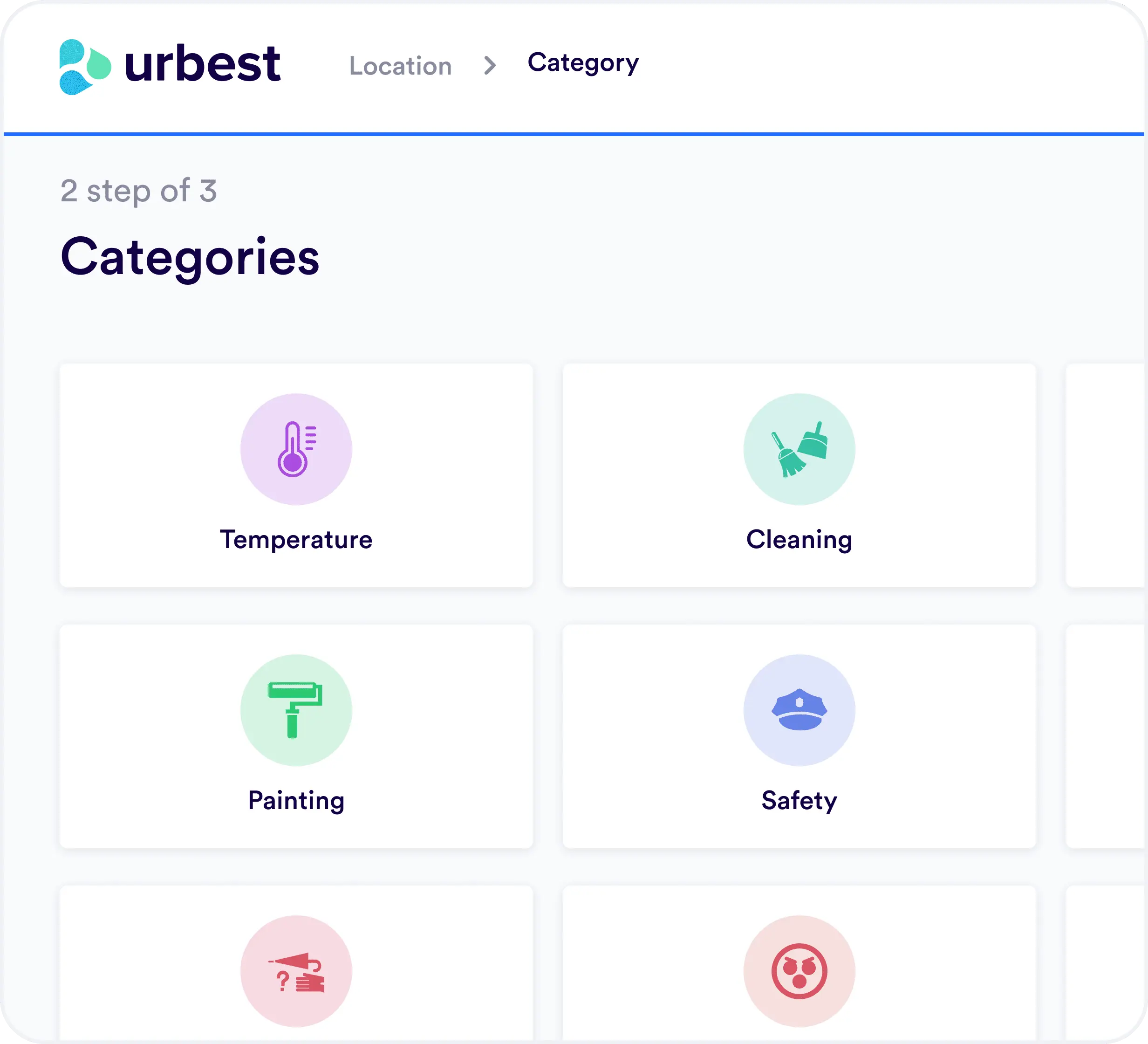
It is now possible to do without email or on-call phone by having a global application that becomes a single portal for requesting security, IT, logistics, furniture, cleanliness services...
Users go through a category menu that directly shares the request with the relevant service.
 Task planning
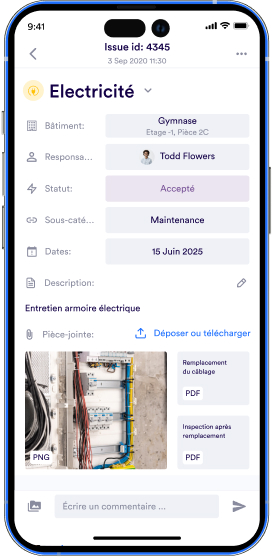
It is possible to anticipate service provider interventions by listing and sharing all tasks to be done in a contract. The institution has the same visibility as a client as its service provider. A contract will therefore give rise to planned interventions for asset and infrastructure management (between 2 and 20 depending on contract size).
Example of intervention planning
For equipment management, tasks are automatically created at regular intervals with maintenance instructions to be carried out. Information is shared between a facility manager and their service provider. As long as the request isn't marked as resolved with a comment and possibly a photo, the facility manager knows the work hasn't been done or required information hasn't been produced.
Service providers can have their own access with visibility on the service category that concerns them. Access is granted according to sites and service category.
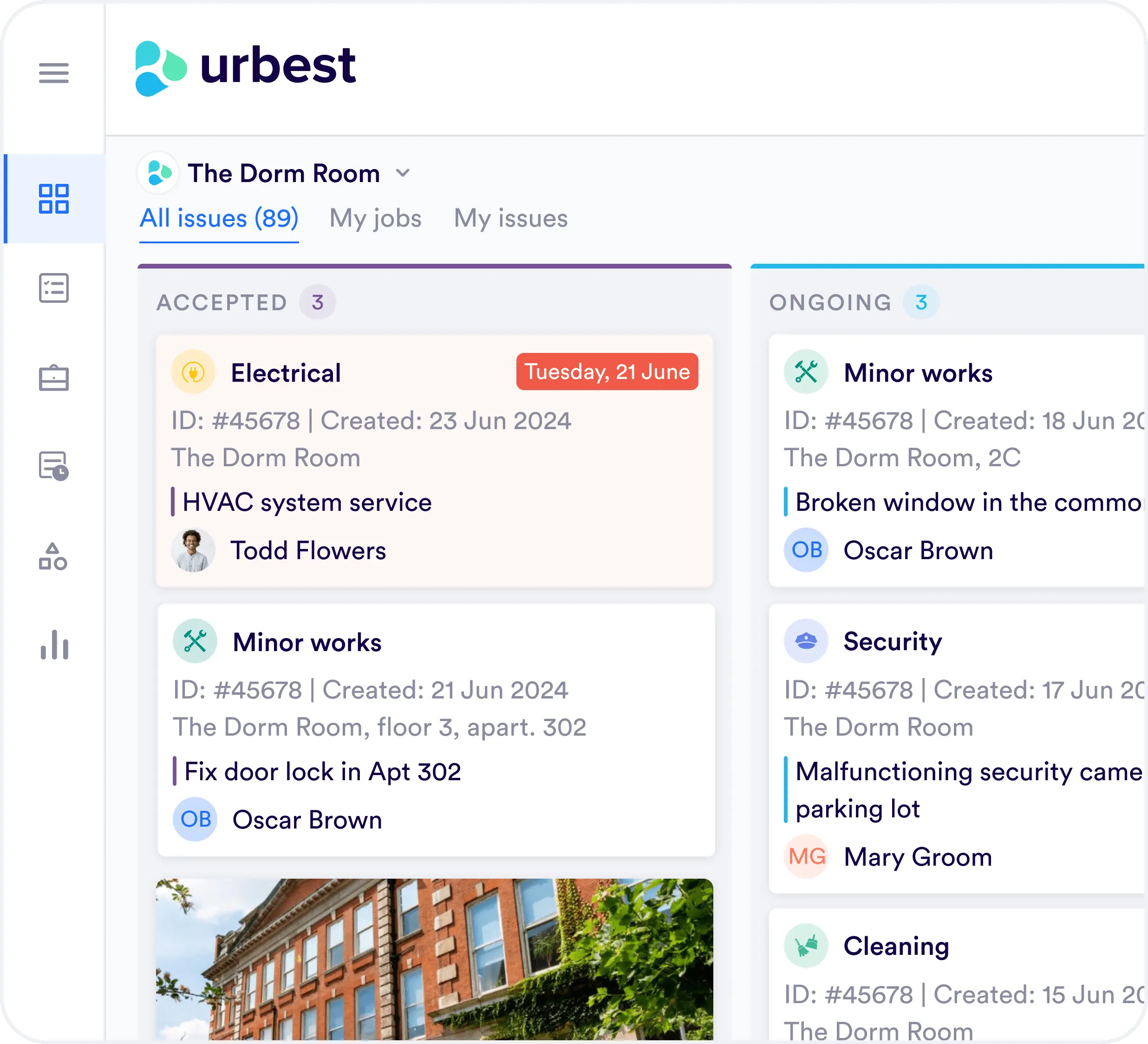 Work framework structuring
Urbest provides facility managers with:

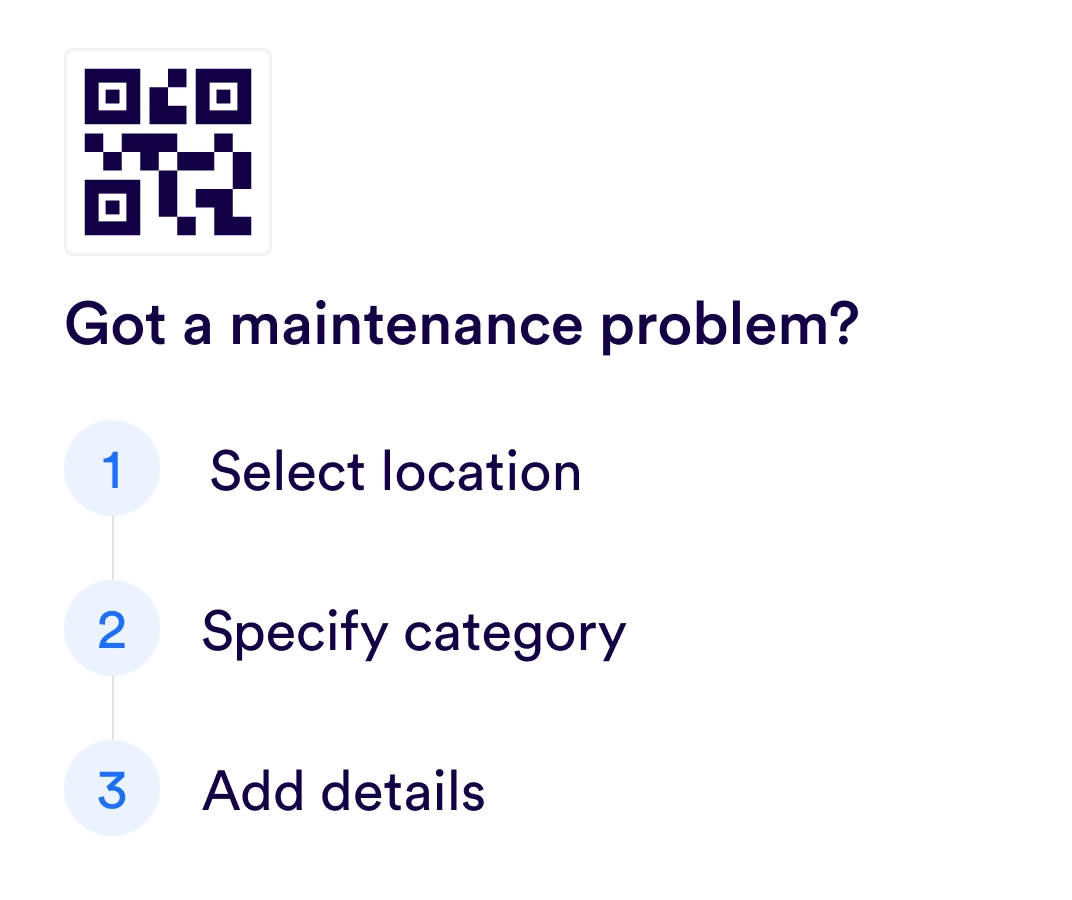
A clear process for requesting service and direct dispatching to the right teams.
The list of recurring actions to follow even if the manager is on vacation, on sick leave, or simply gone.
Automated reporting to alert managers and anticipate accumulating workloads and ensure tasks always progress from one week to the next.
Automatic reminders for important tasks.
In summary, software that structures exchanges significantly reduces the risk of losing critical employees who have all operational knowledge in their heads. With processes and task structuring prepared in advance, you can ensure new arrivals quickly find their bearings and are operational from their first days of work.
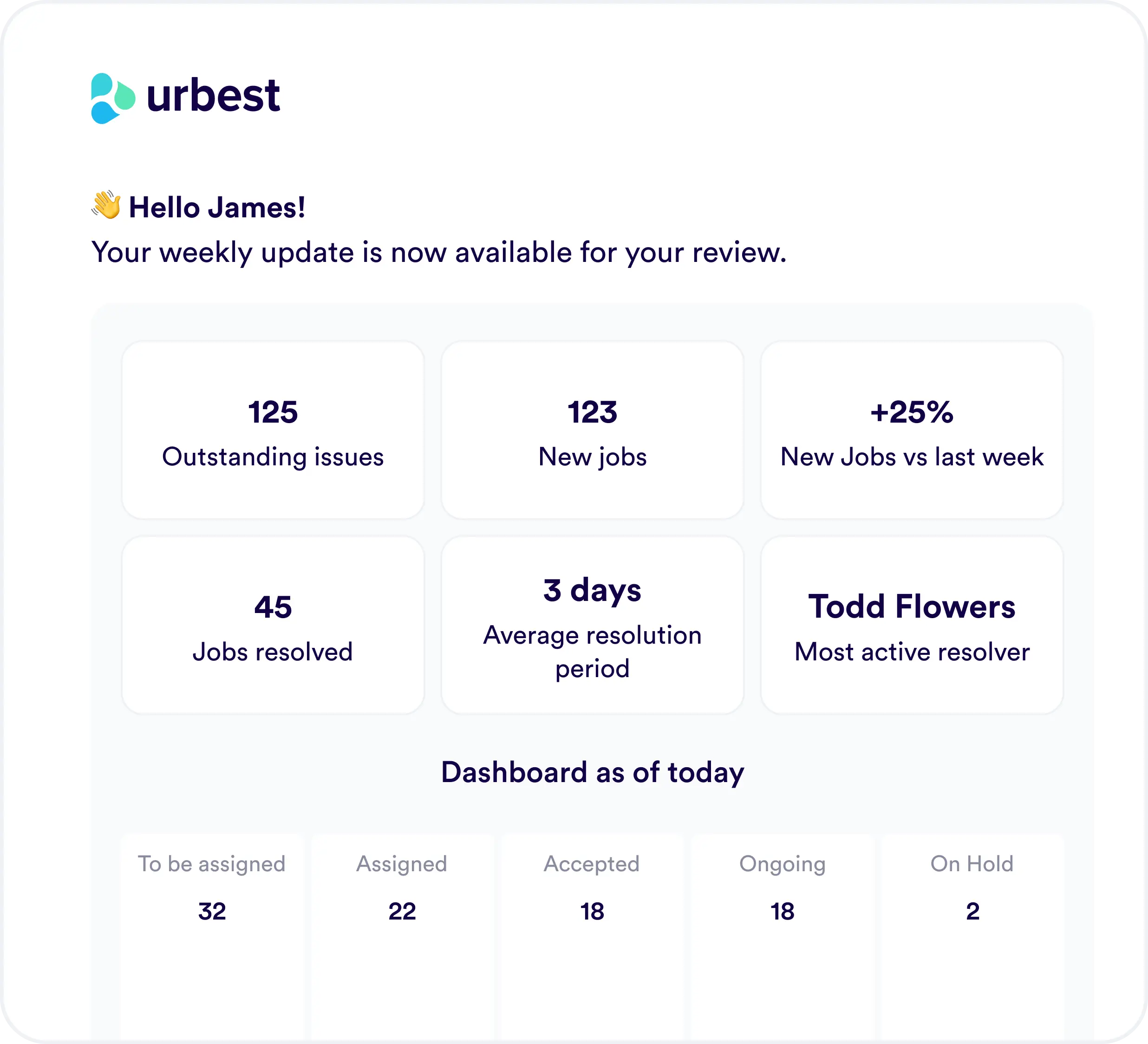
Centralization of requests, planned interventions, and reserves
Fortunately, digital is here to bring simplification by centralizing tasks that are usually scattered. Gone are the speleological searches in email boxes to find a PDF or Excel. It is now possible to anticipate and have in one place a clear view of everything that needs to be done for facility management, equipment management, and all user requests.
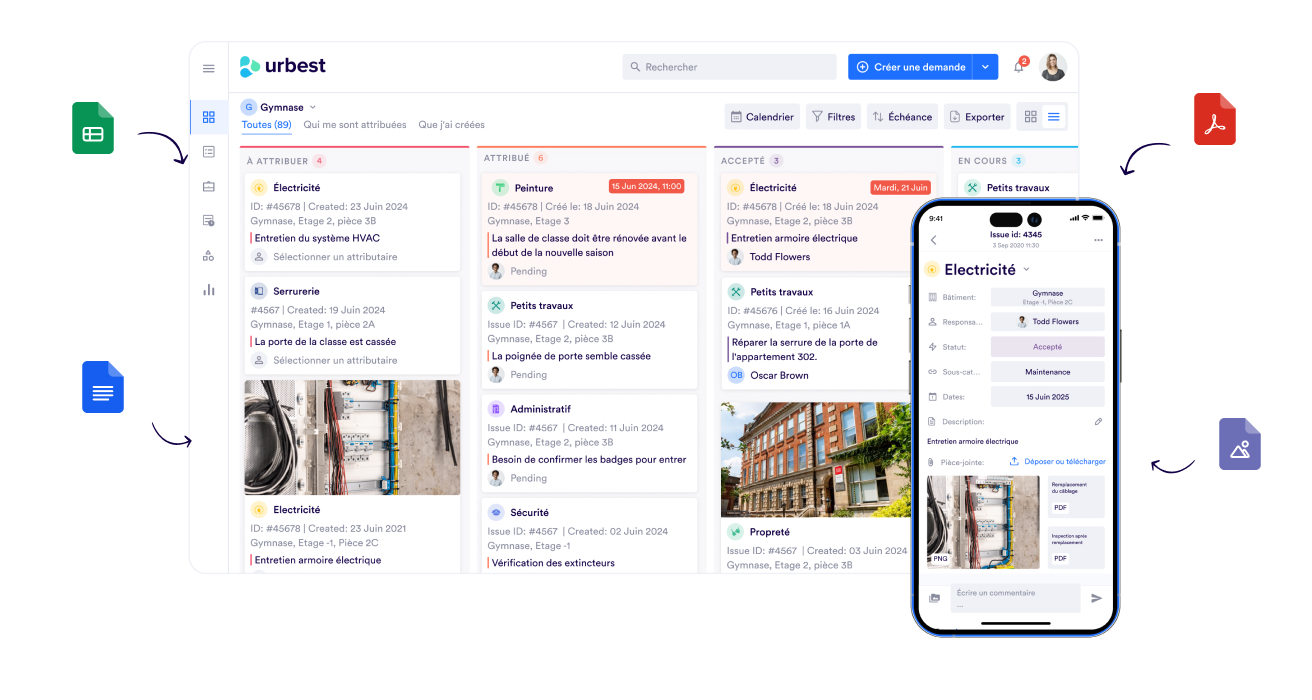 Mobility and use of mobile application for maintenance
An agent or technician with a mobile application saves time thanks to:
Quick access in seconds to intervention details (reduced connection times and number of clicks).
Real-time alerts when a request arrives with the possibility to intervene immediately if it's nearby (reduction of unnecessary travel).
Photo taking and summary comments in writing or with voice recorder to speed up intervention reports.
In the end, mobility with application saves between 10% and 20% of total time spent on interventions. The percentage varies depending on whether switching from a totally paper/email process or if digital tools were already in place (Google sheet, old software).
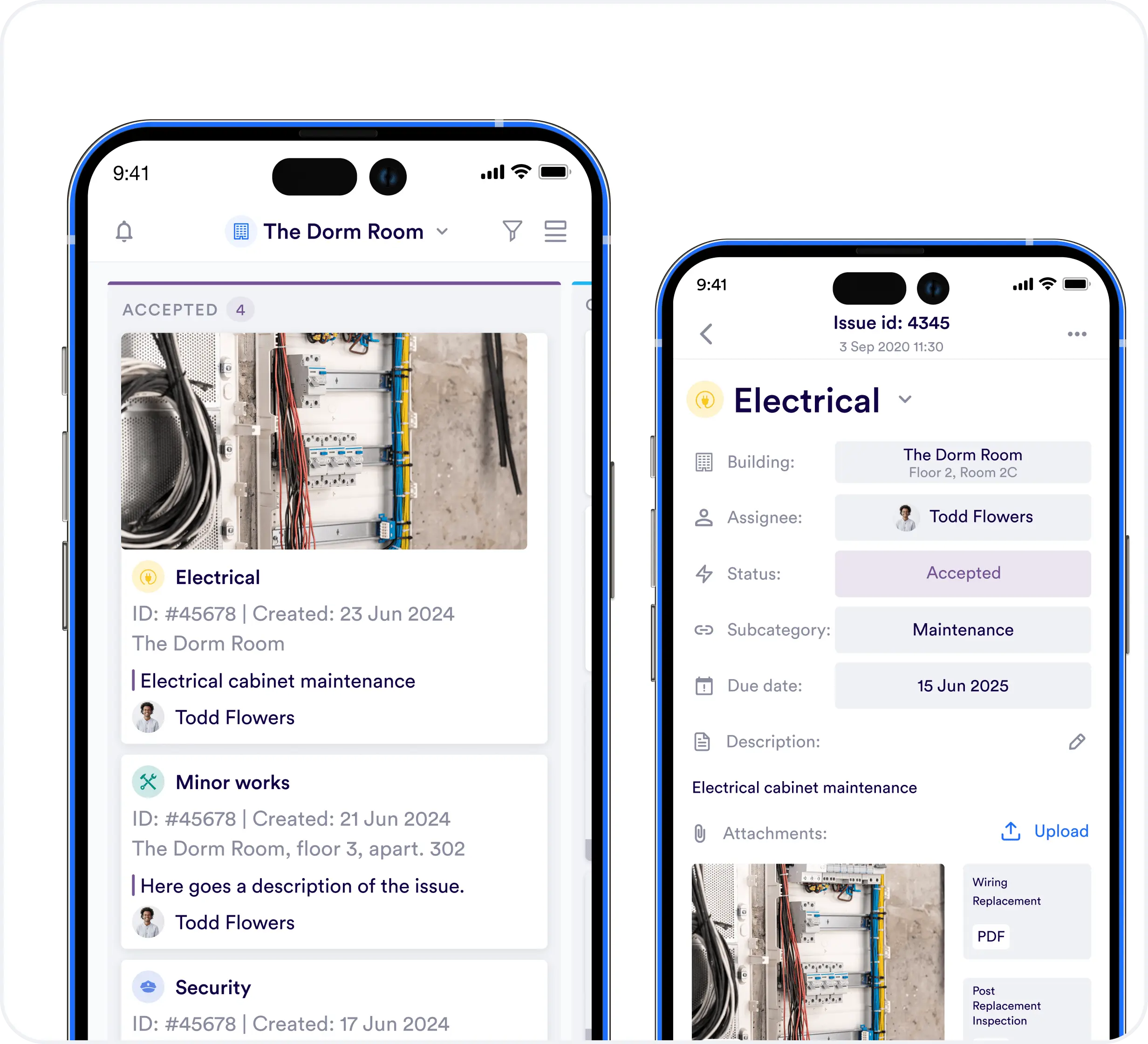 Intervention traceability
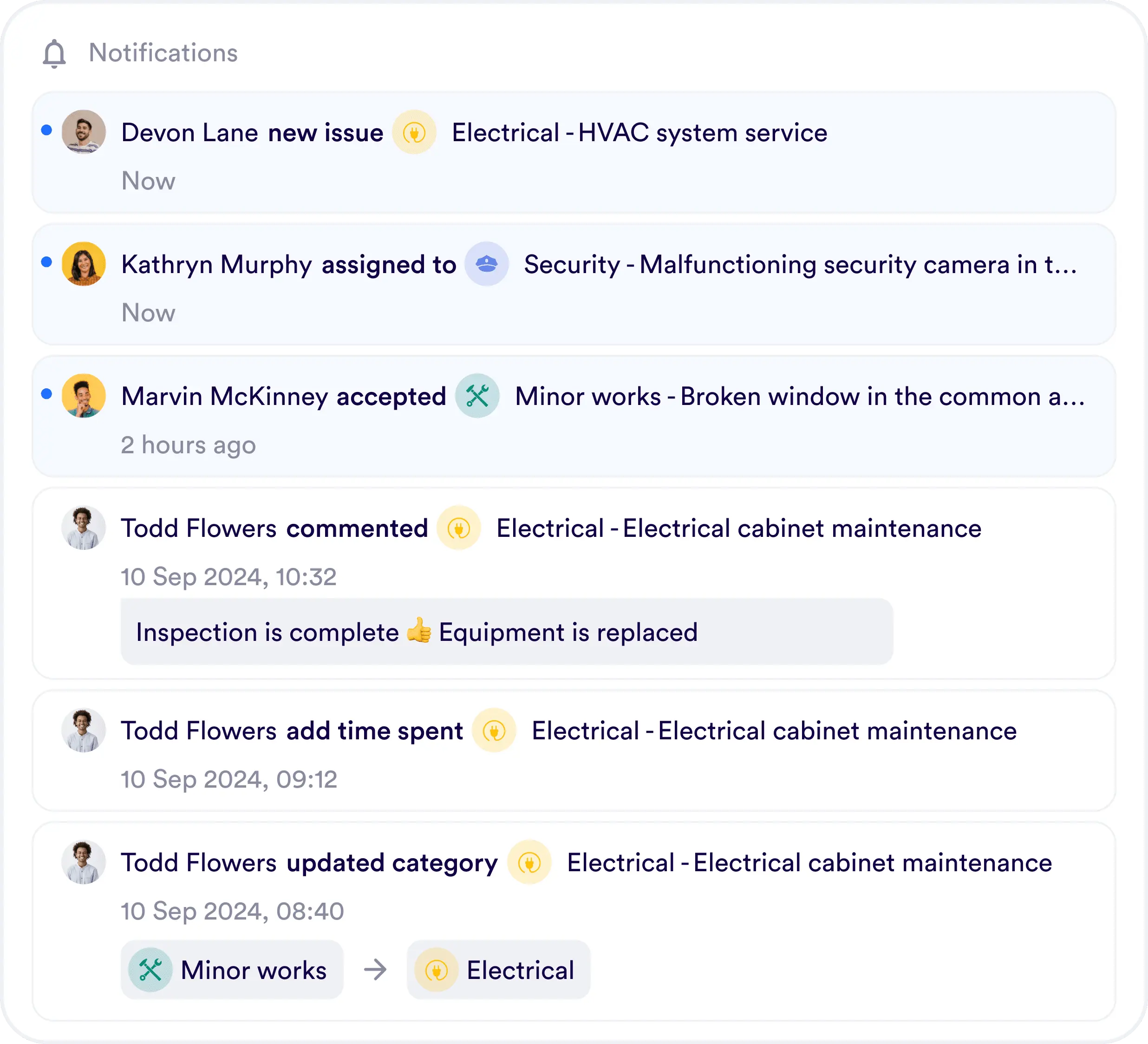
A collaborative maintenance software allows tracking work progress by status. You can choose to be notified or not when a task progresses. This allows obtaining intervention receipts or service validation to process invoice payment.
A positive point of a collaborative platform, the requester can also access progress and is instantly notified when their request is in progress or resolved.
With this mode of operation, gone are the follow-up emails from colleagues or phases of stress and frustration because certain tasks have dragged on for weeks or even months.
 Well-organized and easily accessible digital information
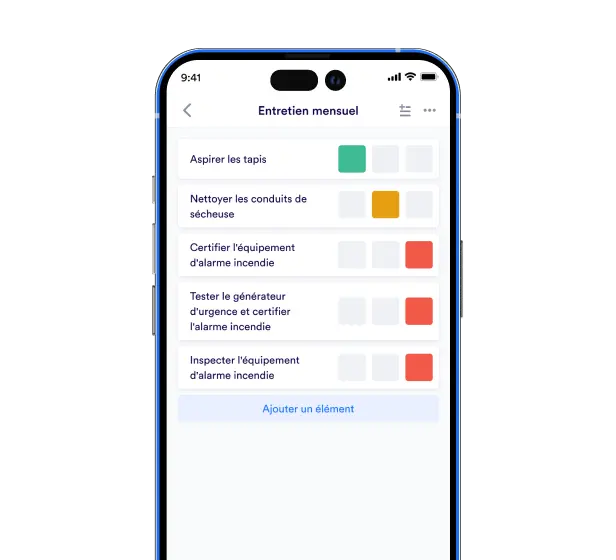
If you can share access to a collaborative application that tracks verifications and actions you've done, your safety commission should be a walk in the park.
Each of your contacts can look at what interests them: fire risk, procedures, sports equipment, service provider reports... Here's an example in a checklist.
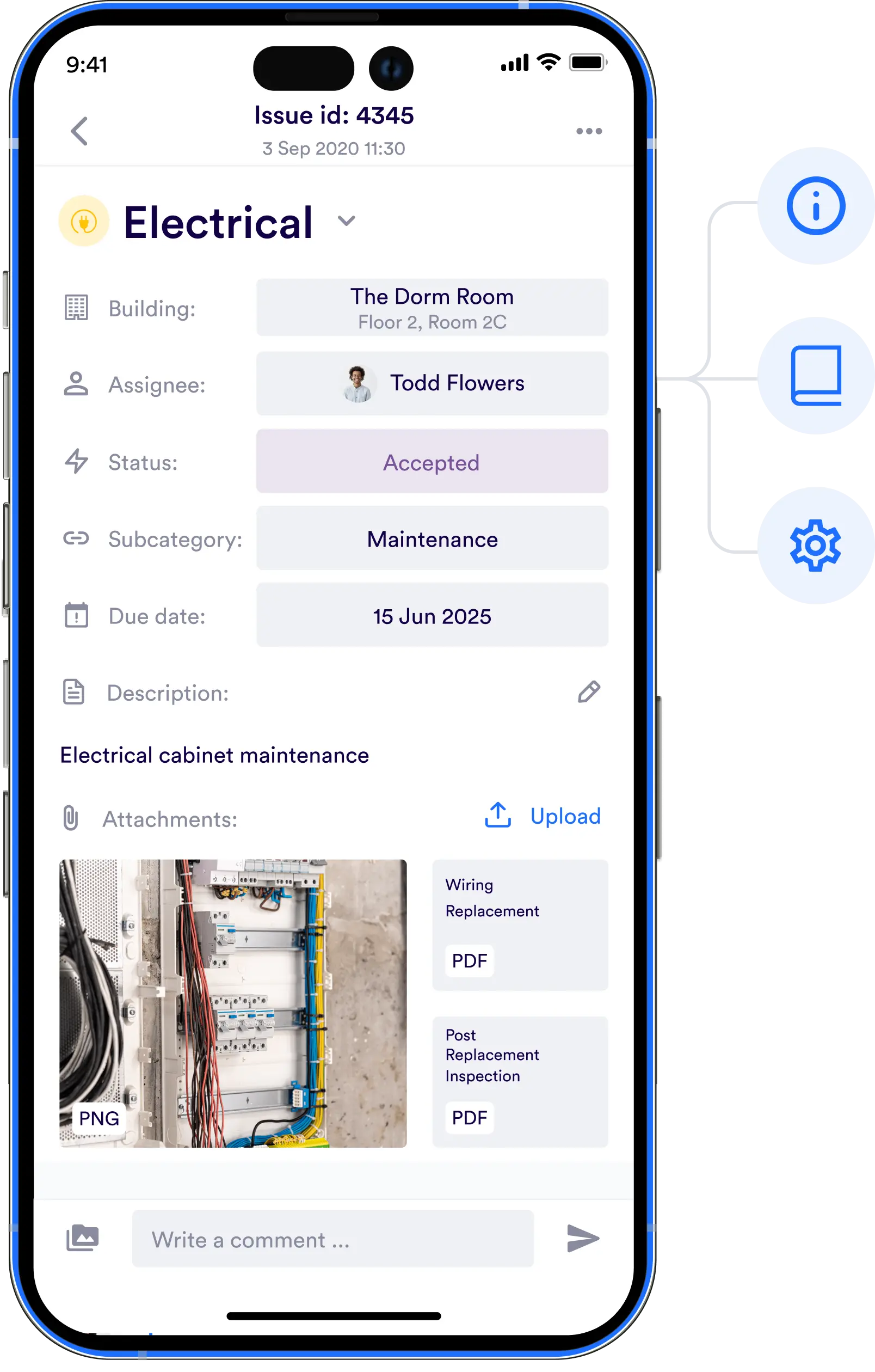
In addition to these verifications, you can attach useful documents to consult as in an EDM. As a bonus, you can put instructions/recommendations following a commission or approved provider suggestions in the form of action plans.
Get started in less than 30 minutes
Deployment of maintenance software
Deployment usually takes place in 2 meetings followed by regular interactions to optimize technical management:
1
Definition of strategic scope and services
An initial session with the management team to understand the request processing processes. This meeting allows for the definition of a category menu and the identification of agents or companies that will handle the services.
2
Training of key users
A second training session for the various teams and technical agents.
3
Communication to users
The third step involves launching communication to users who will make requests.
4
Continuous improvement
Ongoing support and assistance throughout use with customer engagement tracking.
FAQ
CMMS stands for Computerized Maintenance Management System. Historically, CMMS were all on computers but since 2015, CMMS are also on mobile applications with access on smartphones or tablets. The difference now is with collaborative platforms for maintenance and services that cover a broader scope than maintenance and asset management by including logistics, cleanliness, food service.
What integration and interoperability with a CMMS?
Maintenance software for education can also integrate with user directories like Educonnect or a local authority or private institution directory. These integrations allow faster user onboarding as they don't have to create passwords and secure access. Regarding energy consumption, it's possible to link with energy management platforms that make alerts to directly feed them into the task monitoring dashboard. Finally, modern tools like Urbest have APIs and can connect to property management tools to synchronize maintenance or asset management data with a real estate database.How to organize for asset management of an institution?
Asset management consists of monitoring equipment such as boilers, lifts, automatic doors, ventilation, fire extinguishers, fire hydrants... Asset management therefore generates interventions to follow because there will either be manufacturer recommendations on how frequently equipment should be maintained, or legal obligations that require monitoring objects at regular intervals.After making an inventory of the institution's equipment, it's necessary to list recurring tasks associated with each asset. This is where a collaborative application for maintenance brings its power to centralize and prepare future workload. Once entered, planned tasks will automatically arrive in the maintenance team's dashboard. Once completed, the institution has archives it can easily consult and share with others like the local authority or an inspection body.If you don't know which planned tasks to start with, ask the Urbest team for the 100 maintenance interventions model.
Get started in less than 30 minutes
Demo includes:
- Questions and answers
- Customisation of your first building
- A free 30 day trial